Firewall Integration: Palo Alto Networks
Written By XavierBe
Last updated 12 months ago
Integrate the Lupovis Threat Intelligence into Palo Alto Networks firewalls using External Dynamic Lists (EDLs). By linking a curated threat feed to your firewall, you can enable real-time automated blocking of hostile IP addresses, helping reduce the time between detecting a threat and taking action.
What You’ll Need
Configuring the External Dynamic List
The core of this integration is Palo Alto’s EDL feature, which allows the firewall to consume external IP lists over HTTP(S) and apply them in real-time to security policies.
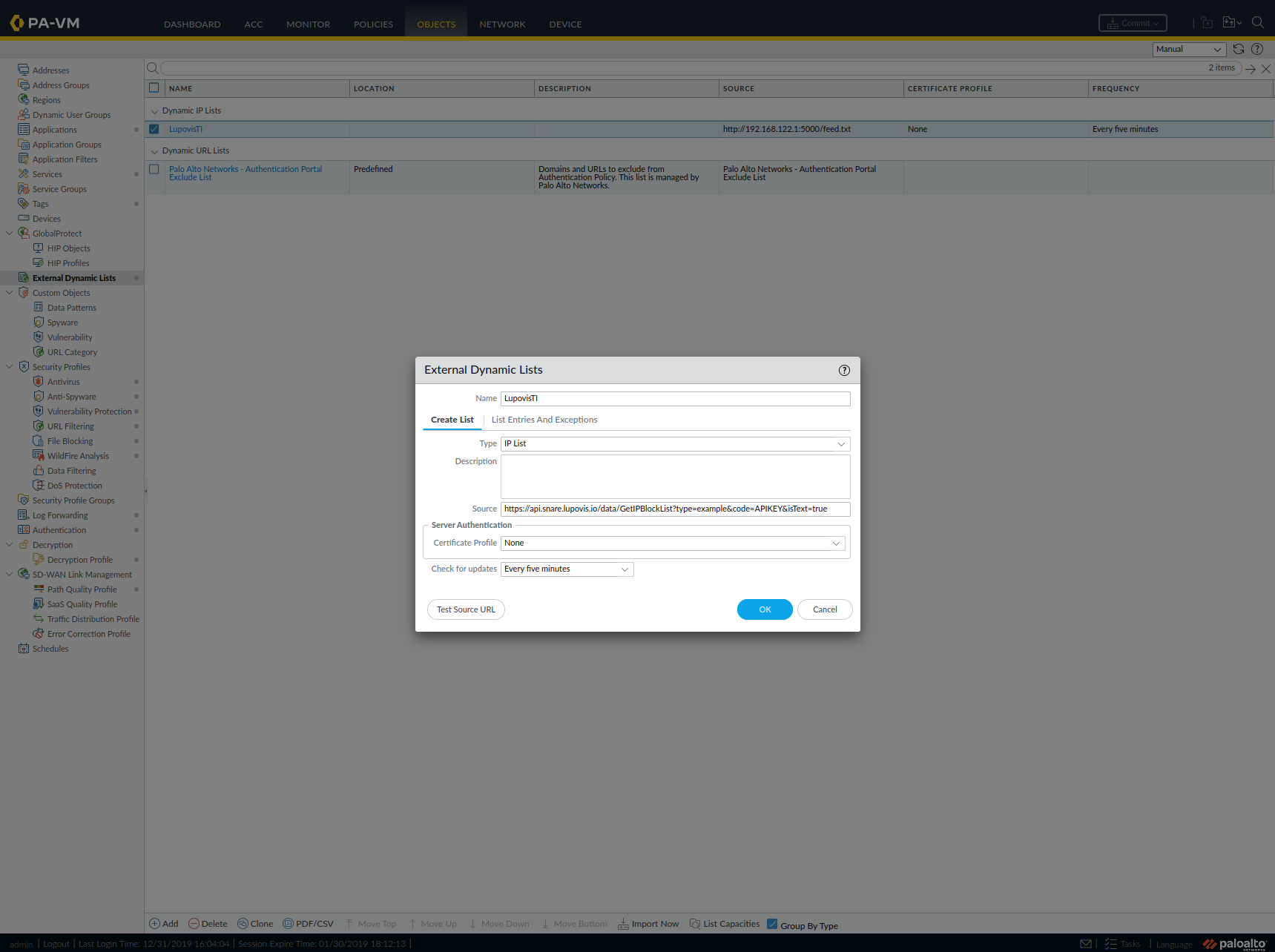
Add the EDL Object
Navigate to Objects > External Dynamic Lists
Click Add, and name your list (e.g. LupovisTI)
Set:
Type: IP List
Source: https://api.snare.lupovis.io/data/GetIPBlockList?type=example&code=APIKEY&isText=true
Recurring: Specified time e.g. 24h
Certificate Profile: Optional (only needed if validating cert chain)
Click OK and Commit your configuration
Note: The isText=true query parameter ensures the feed is served as plain text - the format Palo Alto requires for IP-based EDLs.
Verifying the Feed
After committing, use the CLI to verify the feed is being pulled successfully:


If the list is valid, you’ll see output like:
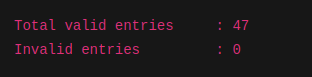
If you see 0.0.0.0/32 or receive a timeout (error:28), double-check that:
The feed is reachable from the firewall
The MIME type is text/plain
The firewall’s service route is configured to use a data interface (not management)
Blocking Malicious Traffic with the EDL
Once the EDL is live, it can be used like any other address object in a policy.
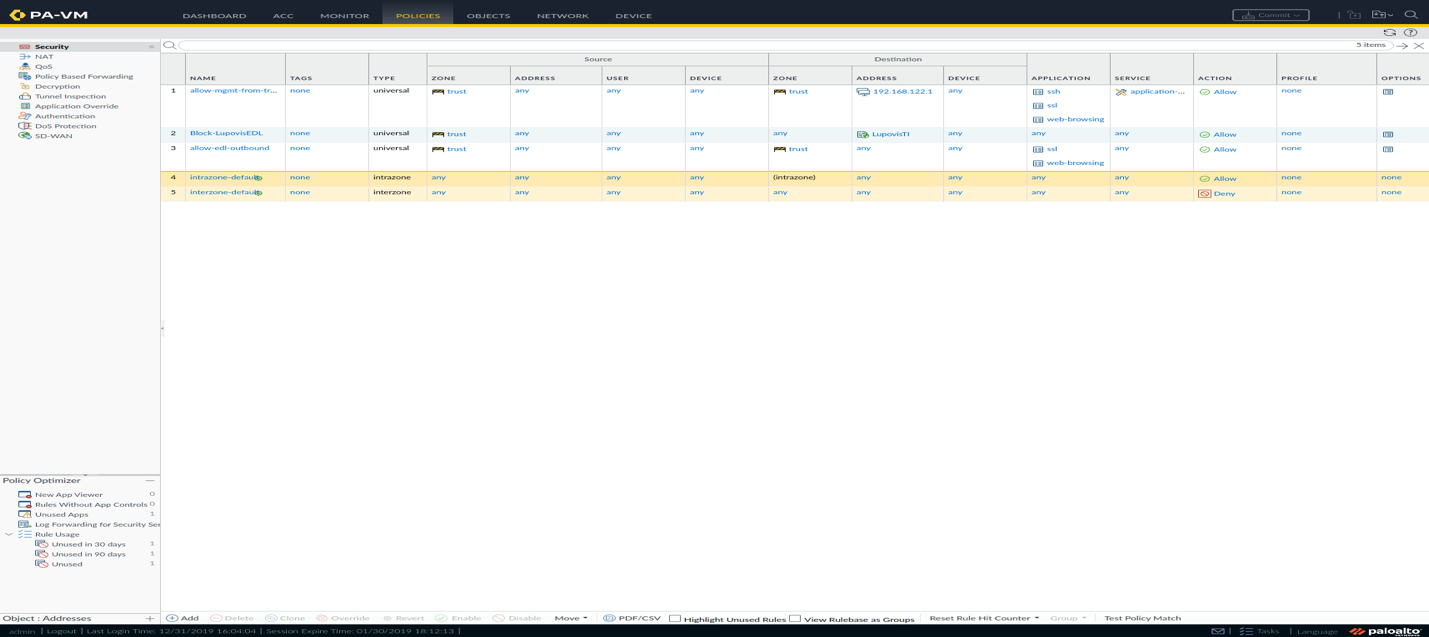
Create the Blocking Rule
Go to Policies > Security
Add a new rule named Block-Lupovis-Threat-IPs
Set:
Source Zone: trust (or internal)
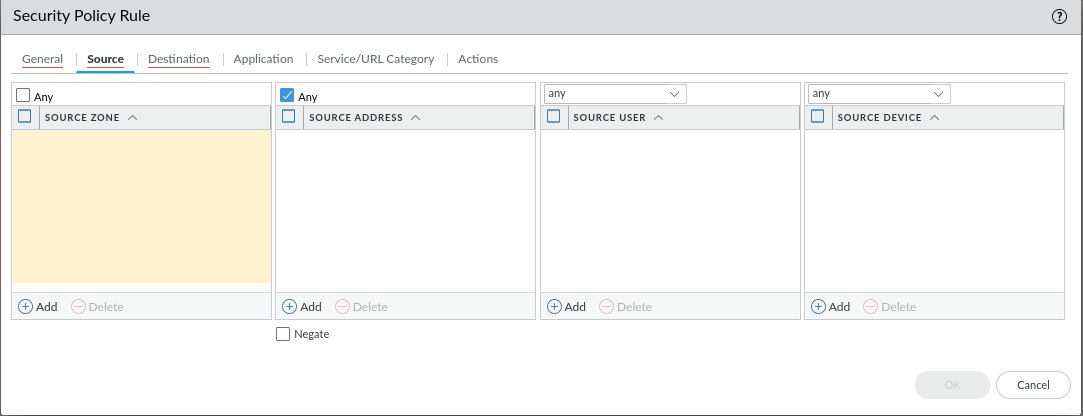
Destination Zone: untrust (or external)
Destination Address: Select LupovisTI from the dynamic list dropdown
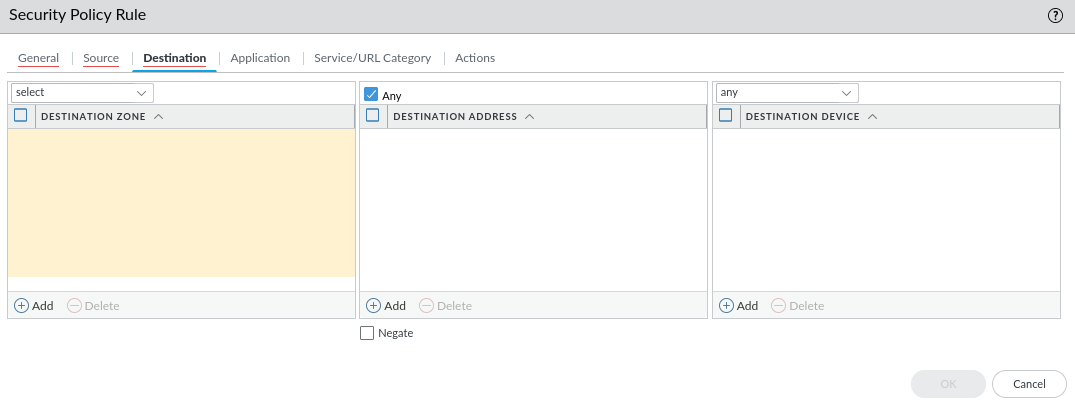
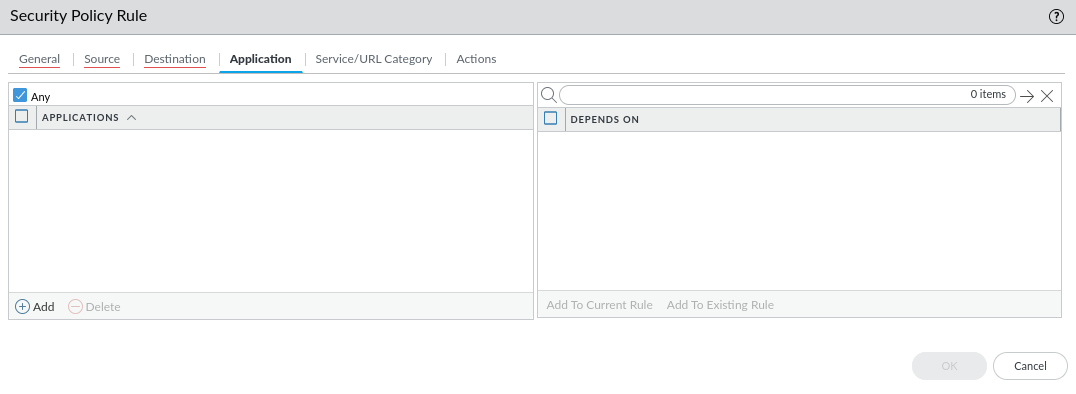
Application: any
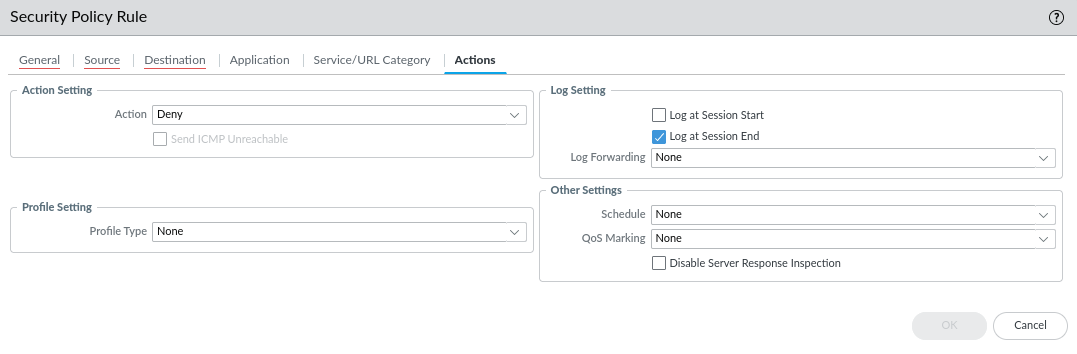
Action: Deny
Log at Session End: enabled
Position this rule high in the rulebase
Commit changes
This will automatically block any outbound traffic to known malicious IPs from your environment. The same steps should also be repeated to block incoming attacks with the ELD being defined.
Was this helpful?
Still need help? Share an idea